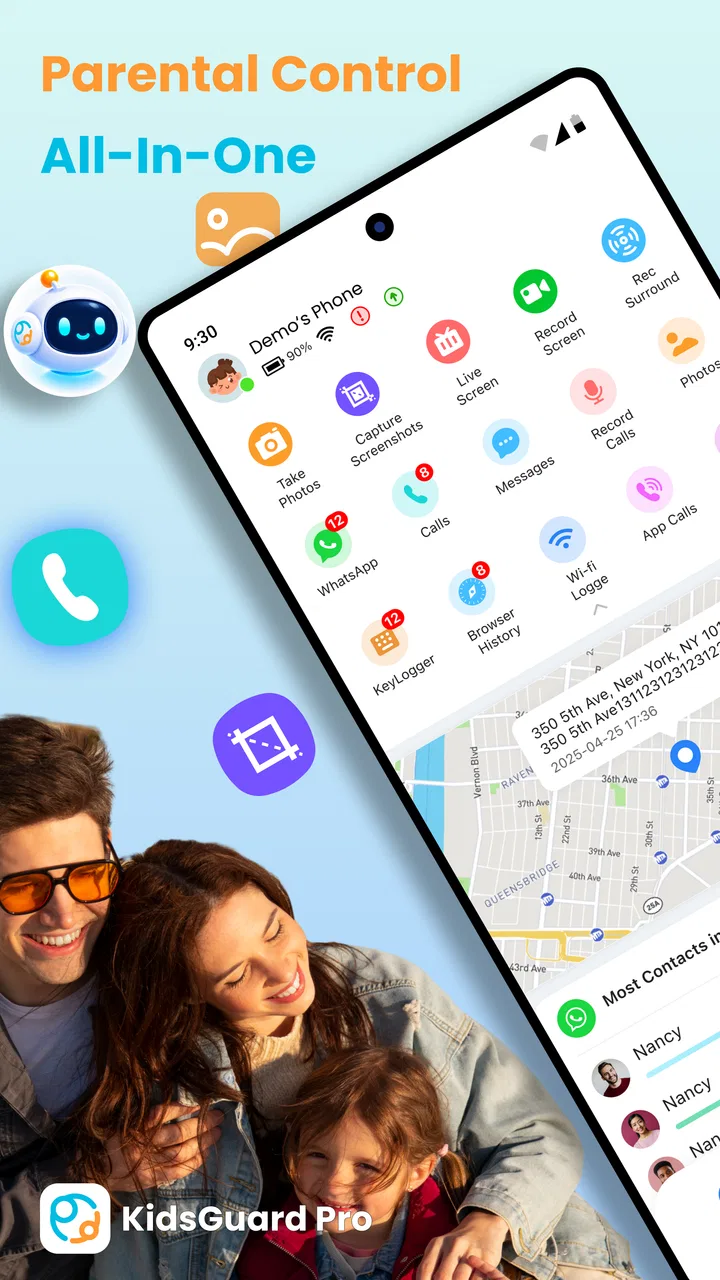
KidsGuard Pro-Phone Monitoring
- 3.8
- Rating
- 1.00M
- Installs
- Free
- Price

 Analysis by App-foxy
When I look at a parental-control app, I do not start with the longest feature list. I start with a simpler question: what problem is the parent actually trying to solve? A family that needs a child to put the phone away at bedtime has a different need from a parent who wants to check where a child is during a trip. KidsGuard Pro-Phone Monitoring tries to cover both situations, combining screen-time control, location tracking, and tools for blocking apps or games in one parenting app.
I approached it as a decision guide rather than a quick recommendation. The app is free to install, is listed for Everyone, and comes from CLEVERGUARD TECHNOLOGY CO.,LIMITED. Its overall rating sits at 3.9 from around 2.8 thousand ratings, while its reach has passed 1 million installs. Those figures suggest that many families are at least willing to try this broad approach, but they also tell me not to treat it as an automatic fit for every household.
My view is fairly straightforward: this is most useful when a parent wants several kinds of oversight in one place and is prepared to spend time setting expectations with the child. It is less attractive when the family only needs a simple bedtime timer, prefers built-in phone controls, or wants a relationship based almost entirely on trust and conversation.
You May Also Like

 Blood Strike: 2.5 Anniversary
Blood Strike’s Loadouts Turn Every Drop Into a Tactical Gamble
A close look at Blood Strike’s custom loadouts: how fast access to signature weapons reshapes its battle royale rhythm, rewards preparation, and narrows the gap between fights.

 Pandora - Music & Podcasts
Pandora’s Music Is Easy to Start, but Harder to Recover
Pandora’s strength is its low-effort path from a seed to a station. Its weak spot is how much confidence it asks you to place in connection, setup, and quiet recovery.

 8 Ball Pool
 Is Built on Rivalries, Rematches, and Routine
A close look at the rivalries, rematches, shared routines, and unanswered safety questions that turn a quick pool match into a persistent mobile community.

 Samsung Music
’s Quiet Strength Is Playing What You Already Own
Its reach comes less from spectacle than from dependable access to a personal library. That simplicity is both the app’s strongest retention engine and its ceiling.

 AccuWeather: Weather Radar
AccuWeather Review: A Quick, Clear Forecast for Everyday Decisions
For everyday plans, the best forecast is the one you can understand quickly. AccuWeather makes rain timing, radar, and local conditions easy to act on, with a few trade-offs.

 Hill Climb Racing
Why Hill Climb Racing Still Turns Crashes Into One More Run
A tiny car, a bumpy hill and one more upgrade: Hill Climb Racing keeps resurfacing because its simple chaos makes every near-miss feel personal.
More From Our News Desk



What I would decide before installing it
The first decision is whether you need monitoring or merely routine management. If the main issue is a child playing too long after homework, the screen-time controls and app or game blocking are the parts that matter. If the concern is knowing where a child is while walking home or visiting a new place, GPS tracking becomes the reason to consider it. Installing a monitoring app without identifying the actual concern can create more tension than it solves.
I would also decide how visible the arrangement should be. Parental controls work better when the child understands what is being limited and why. A clear family rule such as “games pause during schoolwork and sleep” is easier to maintain than a collection of unexplained restrictions. The app may provide the controls, but it cannot replace that conversation.
Another useful question is how many separate tools you are willing to manage. Android and iOS already offer their own family and screen-time features, and some families are perfectly happy using those built-in options. A dedicated app becomes more interesting when you want screen schedules, location awareness, and app blocking considered together rather than scattered across device settings.
Device compatibility deserves attention before you commit to a routine. The current version is 3.1.2 and requires Android 8.0 or later. That makes it a realistic option for many Android phones, but a family using older hardware should check the device first. A control system is only useful when it remains available on the phone the child actually carries.
There is also a privacy decision that should happen before any technical setup. Location tracking is sensitive, even inside a family. I would explain when it will be used, who can see the information, and what happens when the child becomes more independent. That makes the tool a safety arrangement instead of a permanent expectation of surveillance.
How I would set up a realistic family routine
I would begin with one specific goal rather than activating every available control at once. For example, I might use app and game blocking during homework hours, then review whether that solves the problem before adding more restrictions. This staged approach makes it easier to tell which setting is helping and avoids turning the first day into a technical argument.
A practical weekday routine could look like this: the child keeps access to necessary communication and school tools, while entertainment apps are restricted during study time and overnight. GPS tracking could be reserved for a walk home, a school outing, or another situation where location genuinely matters. The important insight is that different controls should serve different moments; using location, screen limits, and blocking as one permanent layer can feel excessive.
I would also create a review point with the child. After several days, ask whether a blocked app was needed for school, whether the schedule was too strict, and whether location checks were being used for safety or simply reassurance. This is where a monitoring app either becomes a useful family agreement or starts to feel like a hidden contest between parent and child.
Where the app earns its place
The strongest part of this product is its breadth. The store summary centers on screen-time control, GPS tracking, and app or game blocking, and that combination is more practical than a single-purpose timer for parents managing several everyday concerns. I can imagine using one tool for a child who loses track of time on games, needs help following an evening routine, and occasionally travels independently.
That combination also changes how I think about alerts and restrictions. A screen limit can address duration, while app blocking addresses the type of activity. Those are not identical problems. A child might spend a reasonable amount of time on a phone but use that time entirely on games when schoolwork is due. Conversely, blocking every entertainment app may be unnecessary if a shorter overall session is enough. Having both kinds of control encourages a more precise decision.
GPS tracking is another reason some parents will choose this over a basic digital-wellbeing tool. Location is not about productivity; it is about context and reassurance. During a family trip, for instance, I would find it more useful to know where a child is than to know how many minutes they have spent in a particular app. The trade-off is that location monitoring requires more trust and more careful family rules than a simple timer.
The app is also approachable in terms of entry cost. It is free to install, which lets a parent investigate the basic experience before deciding whether it belongs in the household’s routine. In-app purchases range from $4.99 to $259.99 per item, so I would not assume that every useful capability is included without cost. I would check the purchase screen carefully and think about the total cost over time rather than focusing only on the free download.
One non-obvious strength is the possibility of using the app as a transition tool. A child who is learning to manage a phone independently may benefit from limits at first, followed by a gradual reduction in restrictions. The app’s value is not necessarily in controlling the phone forever. It can support a staged handover, provided the parent actually plans to loosen controls when the child demonstrates better habits.
Another useful workflow is to separate emergency reassurance from daily discipline. I would avoid checking location every few minutes simply because the feature exists. Instead, I would agree on situations where it matters, such as unfamiliar travel or a changed pickup plan. That keeps screen-time rules focused on habits and location focused on safety, reducing the chance that one feature becomes a substitute for the other.
A weekday example that shows the difference
Imagine a child who comes home, opens a game “for five minutes,” and then forgets to start homework. In that situation, I would first use app or game blocking around the study period. If the child still spends too much time watching videos or browsing other entertainment, I would consider a broader screen-time rule. The sequence matters: targeted blocking can be less disruptive than restricting the entire device.
Later, the same child walks from an after-school activity to a relative’s home. GPS tracking may offer reassurance during that particular journey, but it does not need to become an all-day habit. This example shows why the app’s mixed feature set can be valuable: the parent is solving two separate problems with different controls, rather than treating every concern as excessive screen use.
There is a further practical benefit to this approach. If a child says a restriction is unfair, the parent can discuss the specific situation: homework, sleep, gaming, or travel. That is a much better conversation than arguing about a vague feeling that the phone is “bad.” The app does not create the family policy, but it can make the policy more concrete.
Where another kind of solution may fit better
I would not automatically choose this app for a family that only needs a bedtime reminder or a daily screen limit. Built-in controls from the phone platform may be simpler, less demanding to maintain, and easier for older children to accept. If your goal is narrow, a broad monitoring app can introduce complexity without adding meaningful value.
I would also hesitate when the child is old enough to manage limits independently and already responds well to agreed rules. In that case, a shared calendar, a family discussion, or the phone’s native tools may preserve trust better. Monitoring should solve a real problem, not become a default response to ordinary growing independence.
Families with strong privacy concerns should think carefully about GPS tracking. Even when the intention is safety, location information can change the emotional tone of a parent-child relationship. A simpler screen-time tool may be the better choice if location is not genuinely needed. The most feature-rich option is not always the most responsible one.
There is also a difference between controlling a child’s phone and supporting a child with more serious online-safety concerns. If the issue involves harassment, threats, or an immediate safeguarding problem, I would not rely on an app alone. Talk to the child, preserve relevant information, and seek appropriate help. A parental-control product can manage access and provide oversight, but it is not a complete response to every digital risk.
Compared with a dedicated location-focused tool, this app is broader but may feel less appealing to someone who only wants whereabouts. Compared with a dedicated screen-time manager, it brings more context but also more decisions. Compared with built-in phone settings, it may offer a more unified parenting workflow, while the native option may feel more familiar and less intrusive. Since rival products differ by device and plan, I would compare the exact controls you need rather than choosing based on the number of features advertised.
Friction I would expect during everyday use
The main friction is not the idea of the controls; it is maintaining them sensibly. Children’s schedules change. A school project may require an app that is normally blocked, a trip may make location useful for one afternoon, and a weekend rule may not suit a weekday. Any parental-control system needs occasional adjustment, and this one is no exception.
There is also a risk of overblocking. If a parent blocks games, social apps, and general entertainment without distinguishing between school, rest, and family time, the phone can become frustrating to use. I would start with the smallest restriction that addresses the problem and add more only when there is a clear reason.
Cost can become another point of friction. The free installation is helpful for trying the product, but the listed in-app purchase range is wide. Before relying on a paid capability, I would confirm what it does, whether the purchase is one-time or recurring, and whether the family will genuinely use it. A low initial commitment is not the same as a low long-term cost.
The rating of 3.9 is another reason I would approach it with realistic expectations. It is not a reason to dismiss the app, especially because families use parental controls in very different ways, but it does suggest that the experience may not be universally smooth. I would test it with one modest rule before building the entire household routine around it.
Finally, monitoring can fail socially even when it works technically. If a child discovers restrictions without understanding them, they may focus on bypassing or resisting them. I would make the rules visible, explain the purpose, and agree on how exceptions will be handled. That human process is not a bonus feature; it is central to whether the app helps.
What switching to it really involves
Moving from built-in phone controls to a dedicated app is not just a download. You are changing where rules are managed, how exceptions are discussed, and possibly how location is handled. I would write down the current family rules first, then decide which ones should move into the app. Recreating every restriction immediately is likely to produce confusion.
If you are replacing another parental-control service, the cost of switching is mostly practical and emotional. You may need to rebuild schedules, explain new expectations, and check that the controls match the child’s daily routine. The emotional cost matters because children often experience a new monitoring tool as a change in trust, even when the parent sees it as a technical improvement.
I would make the change during a calm week rather than before an important trip or exam. Test the arrangement while the parent and child are both available to discuss problems. Try the intended blocking rule, review the screen-time behavior, and use location only in the situation where it is meant to help. This gives you a chance to discover friction before depending on the app.
It is also worth deciding how you will leave. If the app is not helpful, can the family return to simpler phone settings without losing the habits that were built? A good trial has a clear success test: fewer bedtime arguments, smoother homework sessions, or more confidence during agreed travel. If none of those improve, adding more monitoring is unlikely to fix the underlying issue.
My recommendation for different families
I recommend KidsGuard Pro-Phone Monitoring to parents who want a single parenting app covering screen time, app and game blocking, and GPS tracking, especially when those needs appear together. Its free installation makes a cautious trial possible, and its current version, 3.1.2, supports Android devices running 8.0 or later. I would begin with one targeted rule, discuss it openly with the child, and review the purchase details before depending on paid features.
I would choose a simpler alternative when the family only needs a timer, when built-in phone controls already solve the problem, or when location tracking would create more tension than reassurance. I would also skip it as a first response to serious online harm; conversation, adult support, and appropriate safeguarding steps matter more than any setting inside an app.
For me, the deciding factor is not how many controls can be switched on. It is whether the family can use them proportionately. The best result comes from matching game blocking to study time, screen limits to sleep and routines, and GPS tracking to genuine safety situations. Used that way, the app can be a practical bridge between unrestricted phone use and complete independence.
My clear advice: try it if you need several forms of parental oversight in one place, but treat it as a family agreement supported by software, not as a replacement for trust. Start small, test the routine, watch the cost of in-app purchases, and be ready to choose built-in controls or a narrower tool if your household’s needs are simpler.
FAQs for KidsGuard Pro-Phone Monitoring
01What is KidsGuard Pro and how does it work?
KidsGuard Pro is a comprehensive phone monitoring app designed to help parents keep track of their children's device activities. Once installed, it provides real-time insights into calls, messages, social media, location, and more. The app operates in stealth mode, ensuring that the user of the monitored device remains unaware of its presence.
02Is KidsGuard Pro legal to use?
KidsGuard Pro is legal when used for parental control over underage children or with the consent of the person being monitored. It's important to comply with local laws and regulations regarding privacy and consent. Unauthorized monitoring of an adult without their knowledge can lead to legal issues.
03What devices are compatible with KidsGuard Pro?
KidsGuard Pro supports both Android and iOS devices. However, certain features may vary depending on the operating system version and device model. It's recommended to check the app's official website for detailed compatibility information to ensure it meets your specific needs.
04How do I install and set up KidsGuard Pro?
Installing KidsGuard Pro involves a few simple steps. For Android devices, you download the app directly onto the target device. For iOS, installation can be done remotely using iCloud credentials. The setup process includes configuring settings to start monitoring. Detailed guides are available to assist during installation.
05What privacy measures does KidsGuard Pro offer?
KidsGuard Pro emphasizes user privacy and data security. It uses encryption to protect the data collected and ensures that only the account holder can access it. The app does not store any data on its servers, and users can delete their account and data at any time, providing full control over personal information.
Pros
- Comprehensive monitoring features available.
- User-friendly interface for easy navigation.
- Real-time data updates from target device.
- Supports multiple device types and platforms.
- Stealth mode ensures undetected operation.
Cons
- Requires physical access for initial setup.
- Monthly subscription can be costly.
- Limited features on iOS compared to Android.
- Some features may violate privacy laws.
- Battery drain on the monitored device.

KidsGuard Pro-Phone Monitoring
Gallery